LAIA- 18S
New compact subwoofer
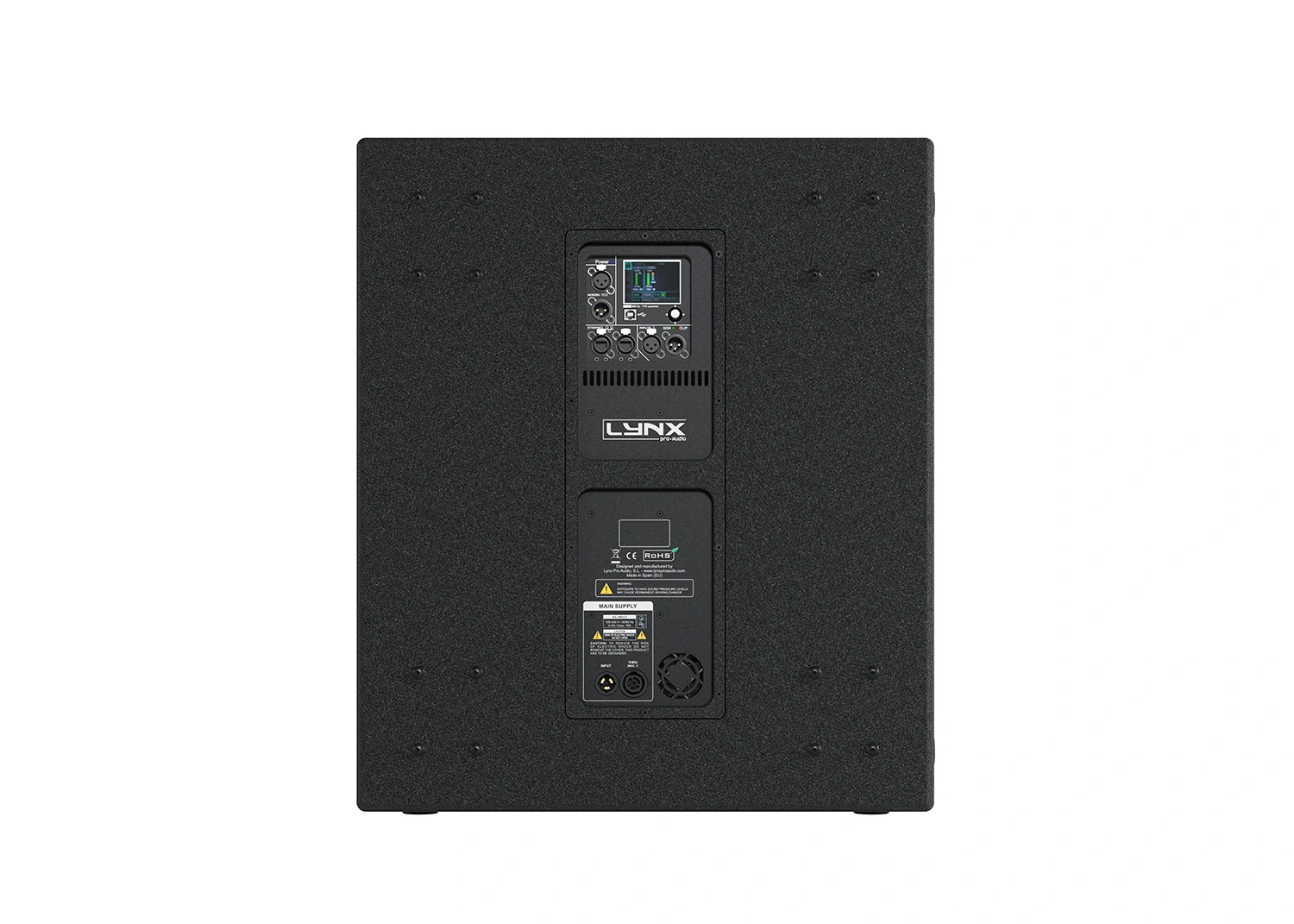
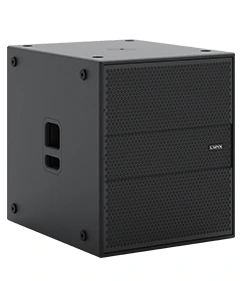
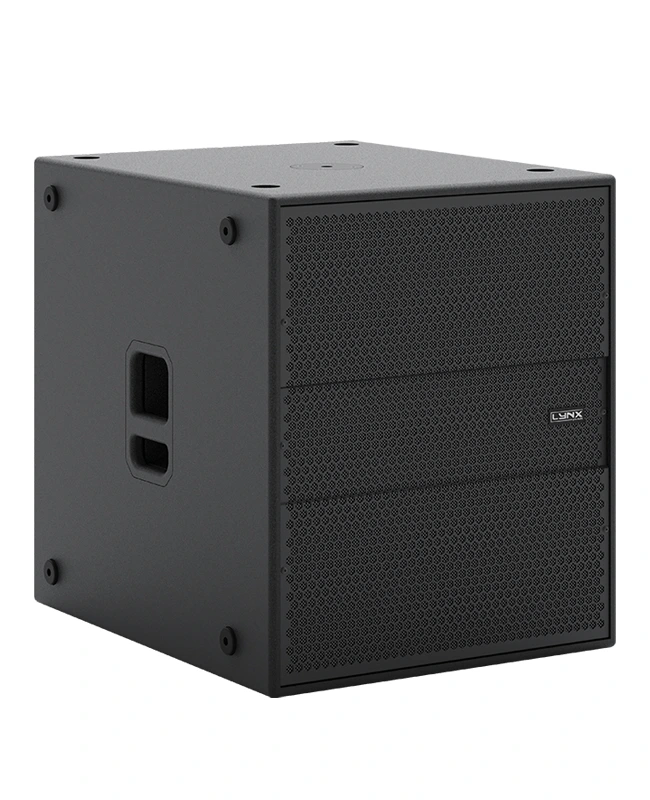
High-performance 18” self-powered subwoofer. Features 1200W Class D power, 64-bit/96KHz DSP, and OCS remote control. Premium birch plywood with polyurea coating.
Description
The LAIA-18S is a high-performance subwoofer that offers an ideal solution for a wide variety of applications, both indoors and outdoors, perfectly complementing the POINT SOURCE series, LINE ARRAY systems in its series. LAIA-18S is a self-powered subwoofer with a total of 1200 W in class D, universal switching power supply. Equipped with a powerful next-generation 64-bit/96KHz DSP designed and manufactured by Lynx Pro Audio, it offers the most recent advances in digital processing. The latest 32-bit/96KHZ AD/DA converters make the system one of the most advanced and innovative acoustic enclosures on the market, resulting in superior sound quality.
Additionally, LAIA series systems can be controlled remotely using the OCS control platform, giving the user the ability to control the systems without the need of external processors. It consists of a 18” and 4” voice coil speaker, double silicone spider with optimized flexibility. Ventilated V.C space for reduced power compression and aluminum demodulator ring for very low distortion, in addition to a treated cone for water protection on both sides. Delivering high power levels from a very compact format, the enclosure is made from premium 18mm birch plywood, finished with a polyurea coating for added durability and weather protection.
Key features
|
→ 1200W Class D Powered |
|
→ Integrated Digital Processing |
|
→ Internal temperature control |
|
→ Electronic protection |
|
→ Online monitoring available |
Perfectly suited for:
| → Clubs |
| → Houses of worship |
| → Fixed installations |
| → Touring |
| → Theatres |
| → Live PA |
Technical Data
Components |
LF: 18”, 4” voice coil |
| Frequency Range | 30 Hz – 120 Hz (-10 dB) |
| Frequency response | 35 Hz – 100 Hz (± 3dB) |
Max SPL |
132 dB / 138 dB Peak* |
| Coverage | Omnidirectional |
Power |
1200 W (2400 W peak) Class D with switching power supply |
| DSP Processing | 96 KHz / 64 bit double-precision |
| Control | User control interface with 2.8” IPS screen and multifunction joystick controller |
Control connections |
USB (DSP programming) / Dual Ethernet port |
| Input | Analog BAL/UNBAL XLR, Digital AES/EBU (Optional) |
AC power |
90 – 264V. 50/60 Hz |
AC Connectors |
16A Neutrik powerCon true1 TOP with looping output |
| Finish | Polyurea coating, high grade resistant paint |
Material |
15 mm Premium birch plywood |
| Dimensions | 706 x 606 x 729 mm (H x W x D) |
Weight |
55 Kg (1231.5 lbs) |
* Calculated maximum SPL based on rated peak power and measured sensitivity

 DSP configuration
 DSP configuration
DSP module configuration panel
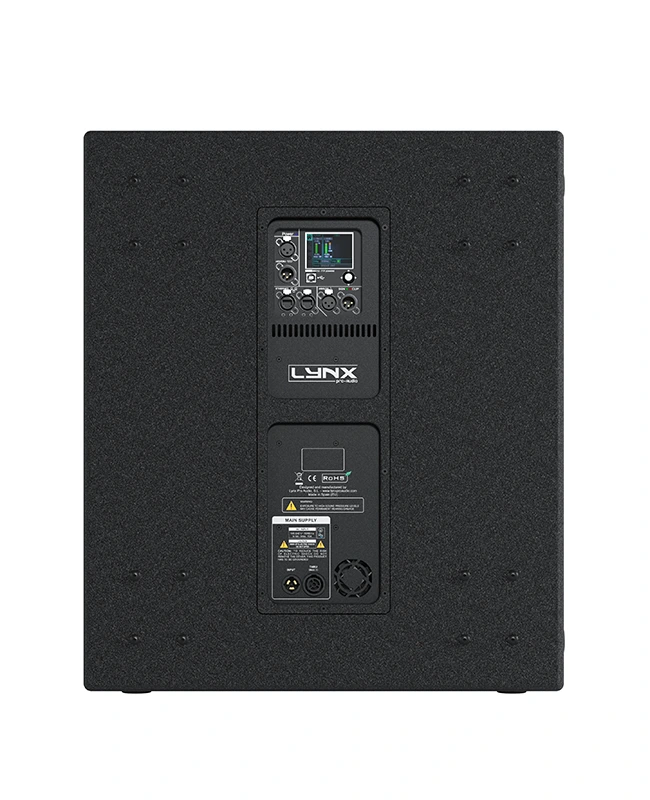
On the back pannel of the cabinet you will find the digital control area. From the compact joystick located below the screen you are able to configure the basic adjustment functions of the internal DSP.
Just move the joystick to select the icons on the left of the screen. You can enter into the following functions: Home, settings, folder, configuration and information. Please note that you must apply the desired configuration in each one cabinet and requires electrical power to work.
If changes are not made the display will automatically dim to avoid unnecessary light in situations where light is not wanted. To re-activate the light simply press the joystick.
The following screens are an example and may vary slightly for each cabinet.
Configuration panel:
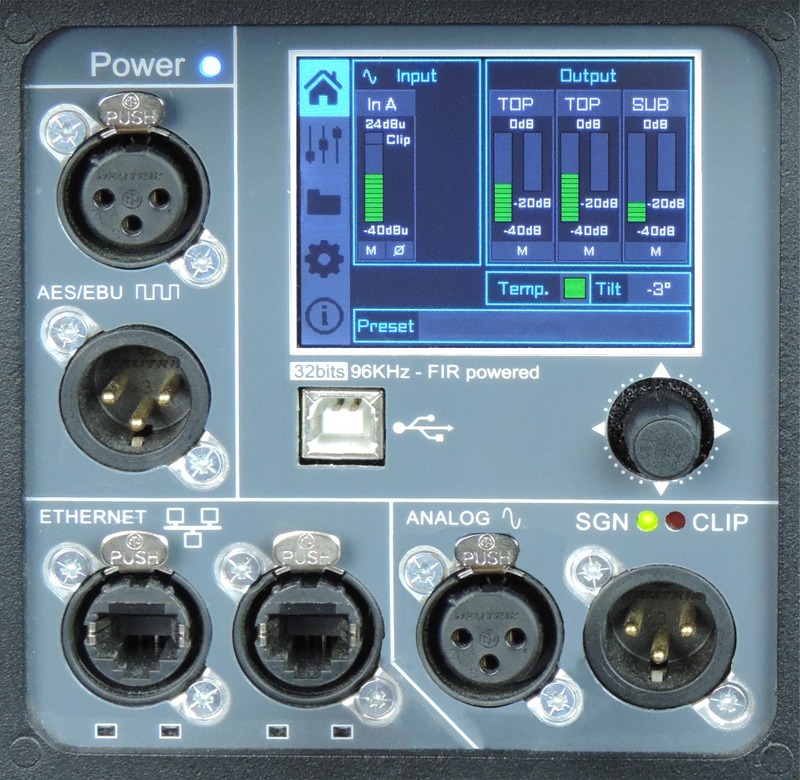 |
HOME On the main screen you can see the cabinet’s input and output: • Input: You can see a vumeter with the input level and a clip signal. • Output: You have a vumeter with the output level (0 dBu is the amp’s maximum level) You can check the compressor and control the dynamic activity. |
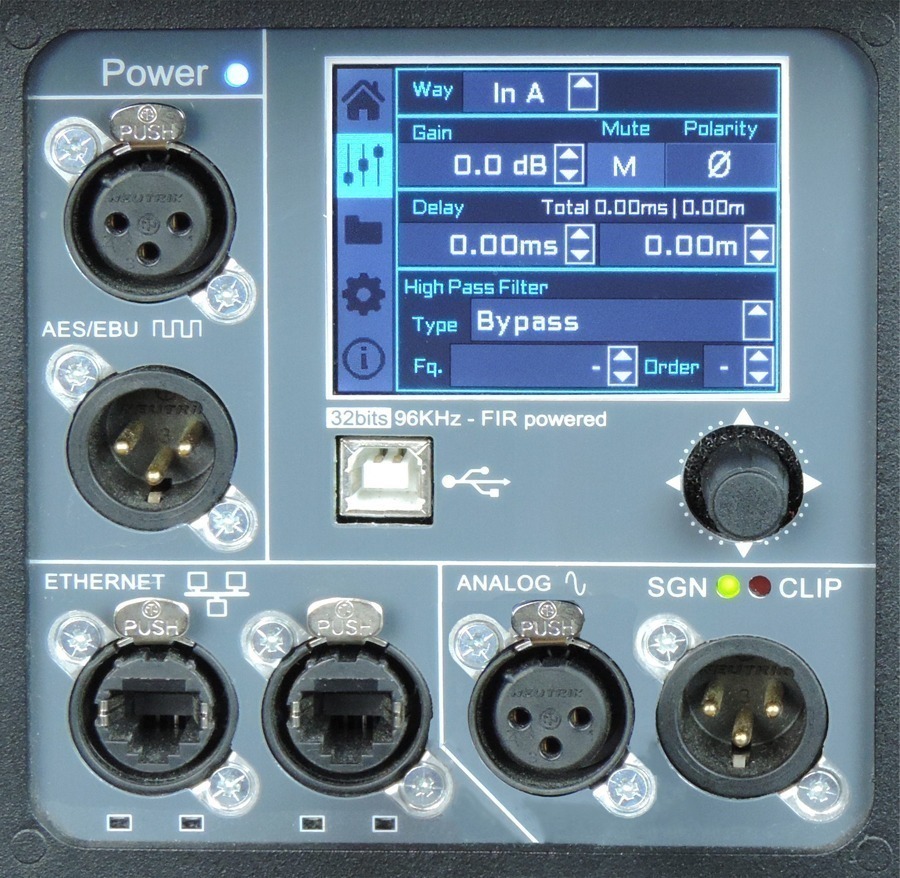 |
SETTINGS This panel allows you to change the gain, polarity, mute and the delay for the inputs. You also have the possibility of putting a high pass, changing the type of filter, frequency and order.
|
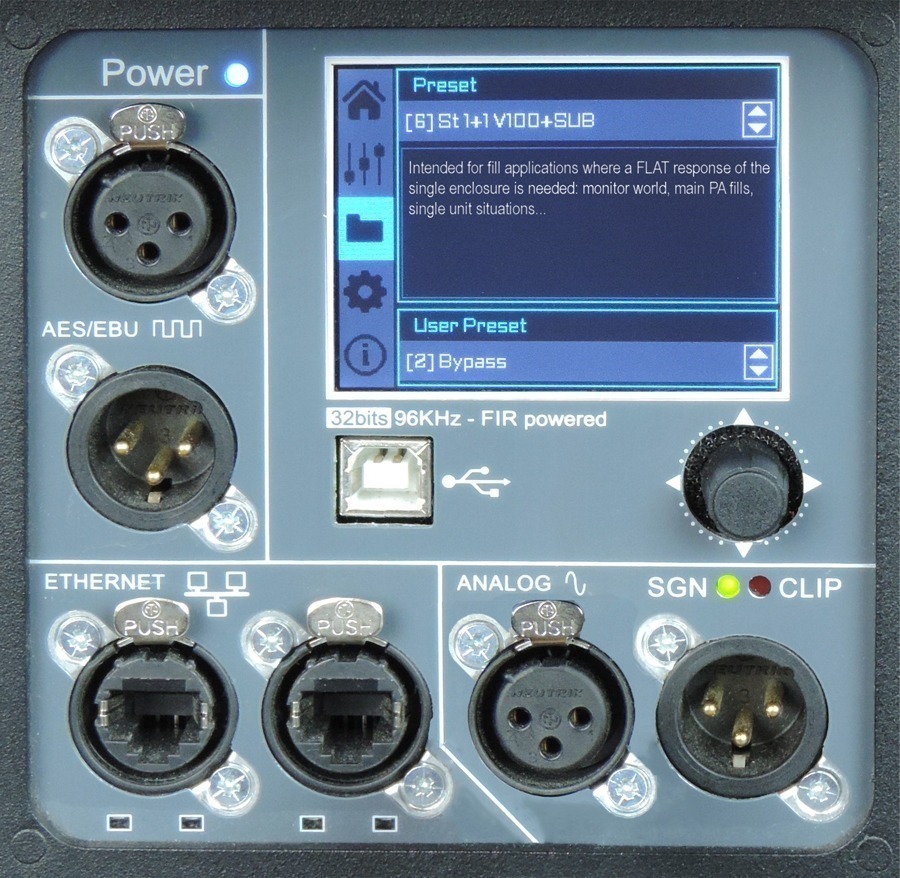 |
FOLDER The folder screen shows you the name of the preset and its description. Using the joystick you can change the preset. |
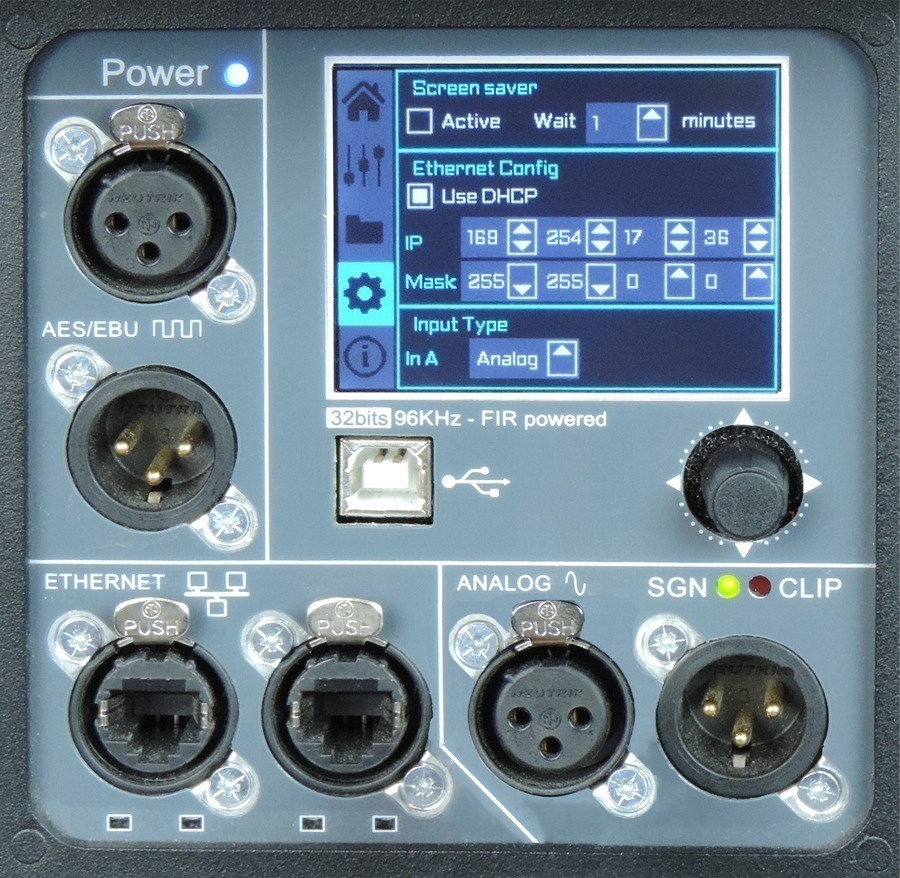 |
CONFIGURATION This screen is to configurate Ethernet. You can choose automatic or manual. You can also configure the screen saver. And here you have the input selection. You can choose between analog or AES3 for channel 1 or channel 2. |
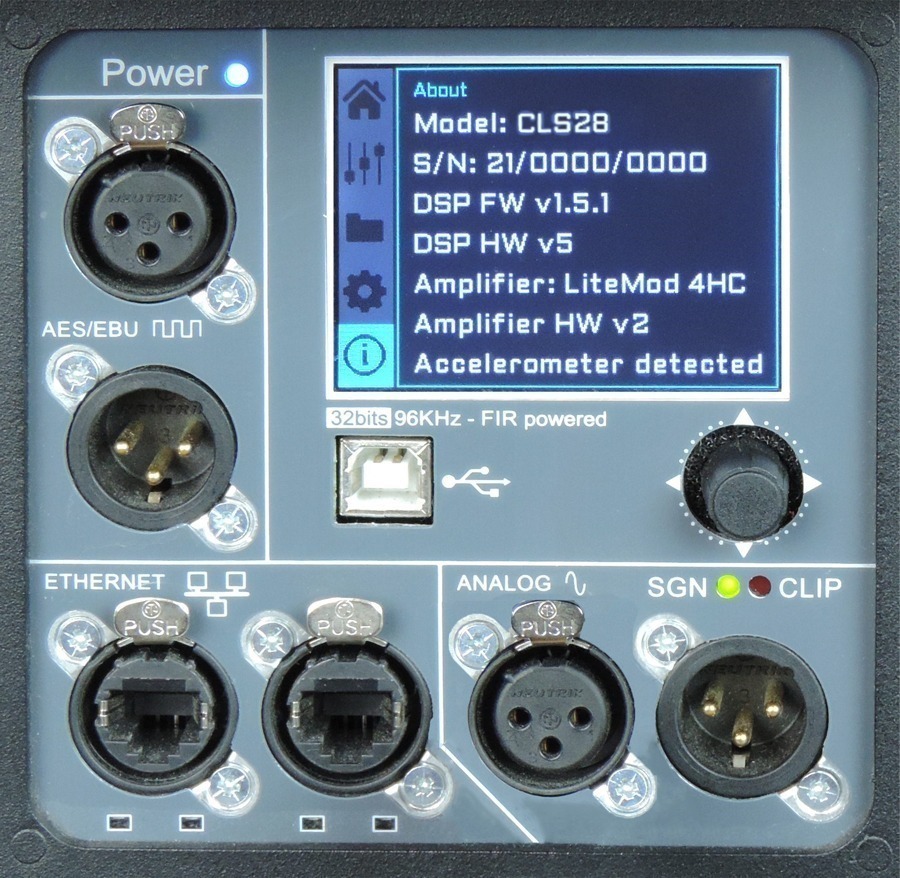 |
INFORMATION The last screen shows you some general information regarding the cabinet’s components. Here you can see the cabinet model, its serial number, DSP firmware and hardware versions, amp module model with hardware version, as well as the accelerometer status. |
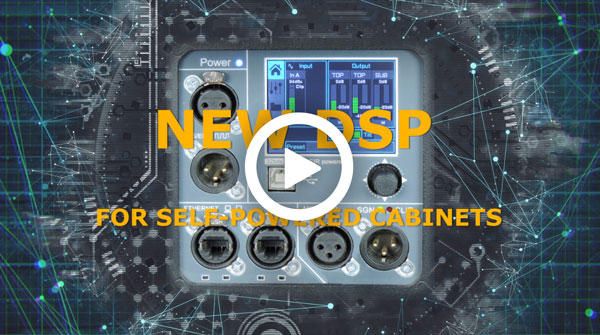
Watch the following TUTORIAL to understand how it works:
DSP module configuration panel
On the back panel of the cabinet you will find the digital control area. From the compact joystick located below the screen you are able to configure the Basic adjustment functions of the internal DSP.
Just move the joystick to select the icons on the left of the screen. You can enter into the following functions: Home, settings, folder, configuration and information. Please note that you must apply the desired configuration in each one cabinet and requires electrical power to work.
If changes are not made the display will automatically dim to avoid unnecessary light in situations where light is not wanted. To re-activate the light simply press the joystick.
The following screens are an example and may vary slightly for each cabinet.
HOME
On the main screen you can see the cabinet’s input and output.
• Input: You can see a vumeter with the input level and a clip signal.
• Output: You have a vumeter with the output level (0 dBu is the amp’s maximum level) You can check the compressor and control the dynamic activity.
SETTINGS
This panel allows you to change the gain, polarity, mute and the delay for the inputs.
You also have the possibility of putting a high pass, changing the type of filter, frequency and order.
FOLDER:
The folder screen shows you the name of the preset and its description.
Using the joystick you can change the preset.
CONFIGURATION:
This screen is to configurate Ethernet. You can choose automatic or manual. You can also configure the screen saver.
And here you have the input selection. You can choose between analog or AES3 for channel 1 or channel 2.
INFORMATION:
The last screen shows you some general information regarding the cabinet’s components.
Here you can see the cabinet model, its serial number, DSP firmware and hardware versions, amp module model with hardware version, as well as the accelerometer status.
Watch the following TUTORIAL to understand how it works:
More features
Hardware for LAIA- 18S
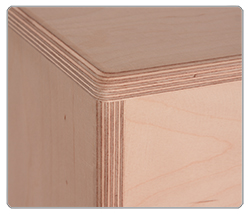 |
EnclosureThe LAIA-18S cabinet is constructed from 11-ply premium birch plywood (18mm) and finished with polyurea coating. |
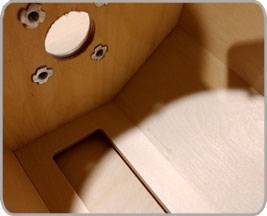 |
Internal designThe internal structure of the LAIA-18S is heavily braced for greater longevity and all parts are assembled on metal inserts with metric screws. |
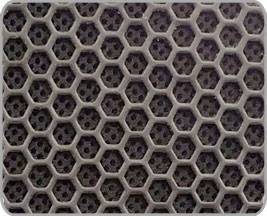 |
GrillThe LAIA-18S has two heavy duty, powder coated front grille with a special acoustic rear fabric to protect the transducers against dust and dirt. |
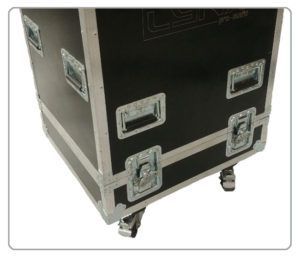 |
TransportThe LAIA-18S is easy to transport thanks to its dedicated flight case where it can be stowed in rest position. |